下载

The Mound: Omen of Cthulhu 的成就

此平台上的成就: Steam

免费下载
85MB Windows ...或者在 PC 上访问我们的官网并下载桌面应用 下载Infinite Health, Infinite Stamina & 其他 32 项修改 for The Mound: Omen of Cthulhu with WeMod

25 项成就 占所有玩家的 %

成就图标
A Little Extra
Recover 20% more treasure than the Captain demanded during an expedition
83%
成就图标
Greed Rewarded
Recover 50% more treasure than the Captain demanded during an expedition
80%
成就图标
A Dire Commission
Successfully complete a mid-Level mission
11%
成就图标
Just in Time
Interrupt a Y'm-bhi just as it is about to grab an ally
8%
成就图标
Proven in the Field
Reach Rank 10
7%
成就图标
Pulled from the Brink
Revive another player 10 times
4%
成就图标
A Fateful Commission
Successfully complete an advanced mission
3%
成就图标
Aim True
Perform 50 headshots on Y'm-bhi creatures
2%
成就图标
One Clean Throw
Kill a Y'm-bhi with a spear headshot
2%
成就图标
Records of the Lost
Recover 7 logbooks from the continent
1%
成就图标
Scarred but Standing
Reach Rank 20
1%
成就图标
Seven Willing Souls
Unlock 7 playable characters
1%
成就图标
Patron of the Arts
Find 2 additional songs for the Lute Player
1%
成就图标
Tempered by Madness
Reach Rank 30
0%
成就图标
Refusing the Grave
Revive another player 30 times
0%
成就图标
Like Moths to a Flame
Lure 5 creatures simultaneously using a single jar of Black Ichor
0%
成就图标
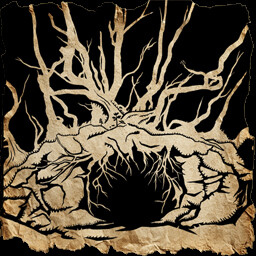
The Mound
Reach The Mound
0%
成就图标
Pages Best Left Blank
Unlock 7 pages of the Creature Codex
0%
成就图标
The Full Account
Recover 13 logbooks from the continent
0%
成就图标
A Legendary Commission
Successfully complete a legendary mission
0%
成就图标
Too Stubborn to Die
Revive another player 50 times
0%
成就图标
Relics of Blasphemy
Bring back 5 new occult tools or artifacts for the galleon's shop
0%
成就图标
Nine Guardians
Have the Woodworker craft 9 Sacred Figures
0%
成就图标
The Horrors Named
Unlock 13 pages of the Creature Codex
0%
成就图标
Long Shot
Shoot down a Bandurria mid-flight from at least 50 meters away
0%

探索更多受支持的游戏 浏览所有游戏

WeMod 让你安全地掌控自己的游戏体验

WeMod 致力于服务全球数百万玩家,坚守安全和免费原则是我们对用户社区的承诺。我们不断发展壮大,离不开 WeMod Pro 会员的支持。我们在 Trustpilot 上的用户评价就是最有力的证明。

如何在 The Mound: Omen of Cthulhu 中使用修改器?
WeMod 会安全地扫描并显示你的 PC 上已安装的所有游戏。只需从列表中选择一款游戏并点击“开始游戏”,即可快速启动游戏。当游戏完成加载并进入游戏画面后,你就可以开启各种修改了!
这些修改适用于我的游戏版本吗?
WeMod 还能使用先进技术自动检测你的游戏版本,并告知你该游戏是否支持修改。如果暂无修改,你可以选择直接进入游戏或提交制作申请!