Download

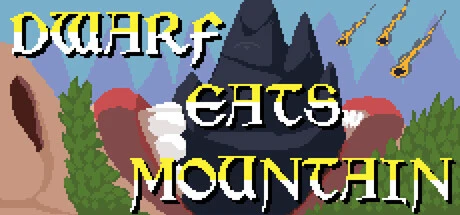
Dwarf Eats Mountain achievements

Achievements for Steam

Free download
85MB Windows ...or visit us on your PC to download the app Get Set Gold, Add Gold & 12 other mods for Dwarf Eats Mountain with WeMod

21 achievements % of all players

Achievement icon
The Feast Begins!
Finished tutorial.
98%
Achievement icon
Give me gold!
Earn 10k gold
94%
Achievement icon
Prestigious!
Prestige once
88%
Achievement icon
Give me more gold!
Earn 100k gold
81%
Achievement icon
Give me even more gold!
Earn 1 million gold
61%
Achievement icon
Very prestigious!
Prestige five times
61%
Achievement icon
Goblin slayer!
Defeated Goblin King
60%
Achievement icon
We didn't start the fire!
Have the entire mountain on fire.
58%
Achievement icon
Upper echelon!
Reach T6 prestige
46%
Achievement icon
Dragon slayer!
Defeated Dragon
38%
Achievement icon
Empire builder!
Have all buildings
35%
Achievement icon
Golem slayer!
Defeated Golem
32%
Achievement icon
Ascension!
Ascend once
27%
Achievement icon
Balrogg slayer!
Defeated Balrogg
26%
Achievement icon
Highly renowned!
Have all non-T6 prestige upgrades
20%
Achievement icon
I'm firing muh lazor!
Have the screen covered in lasers
19%
Achievement icon
Legendary Eater!
Ate The Great World Spire
16%
Achievement icon
Relic hoarder!
Have all artifacts
15%
Achievement icon
Give me all the gold!
Earn 100 million gold
14%
Achievement icon
Path to godhood!
Ascend twice
11%
Achievement icon
Give me endless gold!
Earn 1 billion gold
7%

Explore more supported games Browse all games
Personalize your games safely with WeMod

WeMod is always safe and always free because of our community of millions of gamers around the world. We are supported by WeMod Pro subscribers. Check out our reviews on Trustpilot.

How do I use the cheats in Dwarf Eats Mountain?
WeMod will safely display all of the games on your PC. Open a game from the list and simply press play. After the game loads and once you’re in-game, you can start enabling different cheats!
Will this work with my game version?
WeMod uses advanced technology to detect the game version you’re running and will let you know if it’s supported. If it’s not, you will still have the option of giving it a try or requesting an update!